Free app for Windows
Build a website
by chatting.
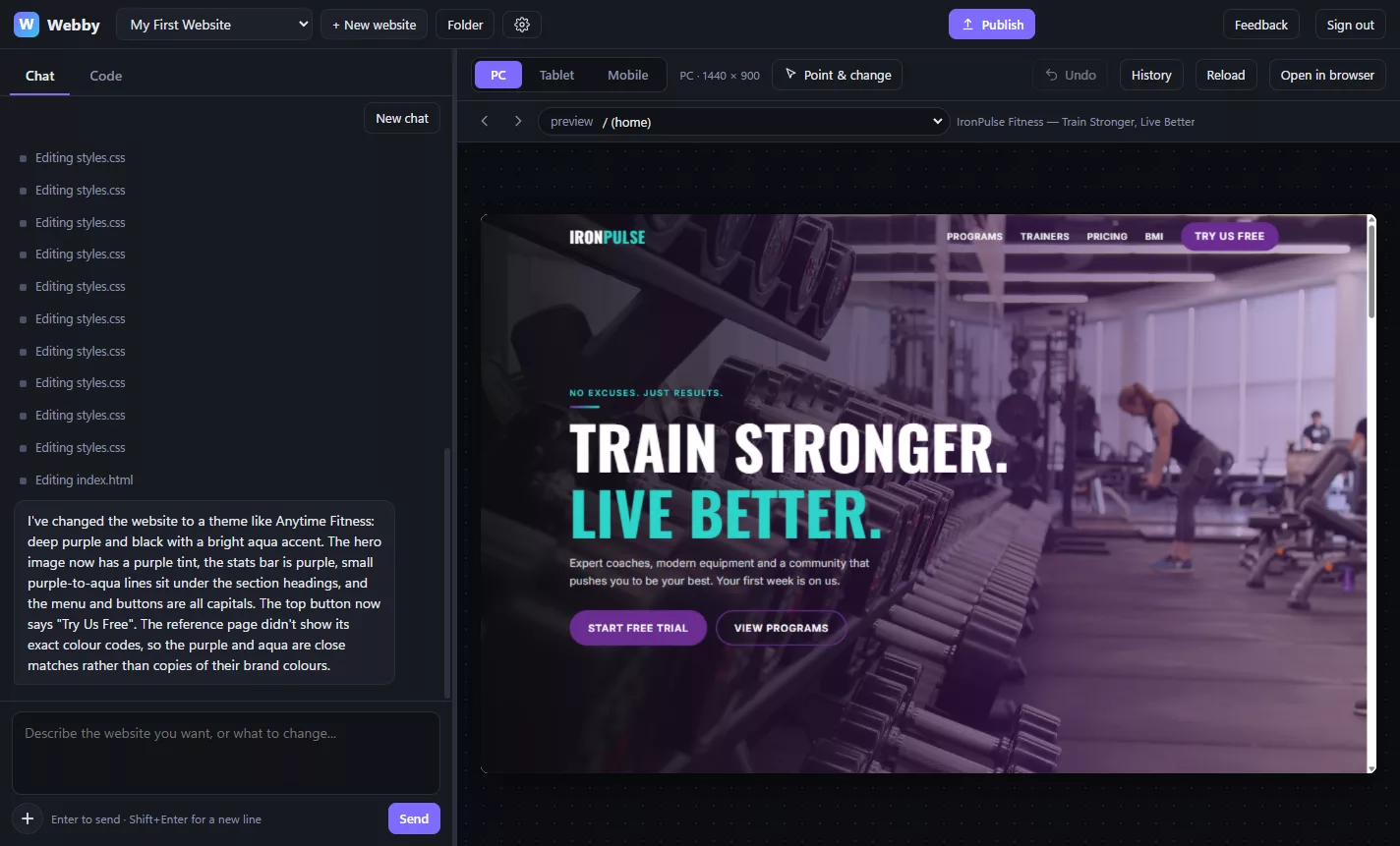
Tell Webby what you want, like "a page for my bakery with the menu and opening hours". Claude builds it while you watch. Change anything by asking, then put it online for free.
Three steps. No code.
-
1
Describe it
Pick a starting point (shop, cafe, portfolio, event, school) or start blank, and say what you want in your own words. Add photos, or a link to a website you like.
-
2
Watch it build
The website appears next to the chat and updates as Claude works. Say "make the header blue" or "add a price list" and see it change.
-
3
Publish free
One button puts it online at your own .pages.dev address on Cloudflare, free. Connect your own domain if you have one.
Everything you need, nothing you don't
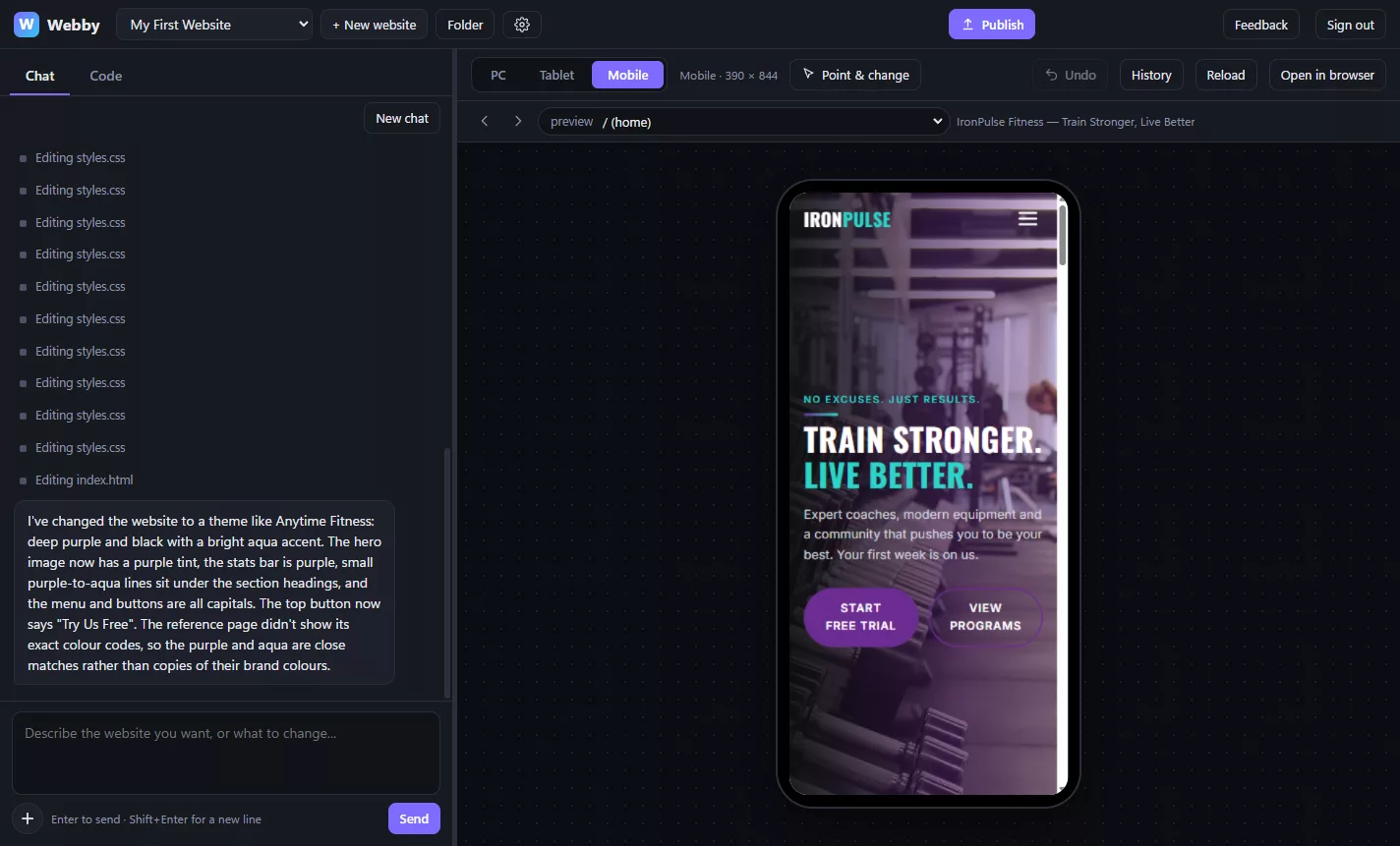
- PC, tablet and phone. Switch the preview to see how it looks on every screen.
- Point & change. Click any part of the page, then say what to change about it.
- Undo and history. Every change is saved, so you can always go back.
- Claude checks its own work. It looks at the page on a phone screen after big changes.
- Contact forms that work. Messages from your website's forms arrive in your email.
- Ready to share. Webby checks the page before publishing and makes a link preview picture.
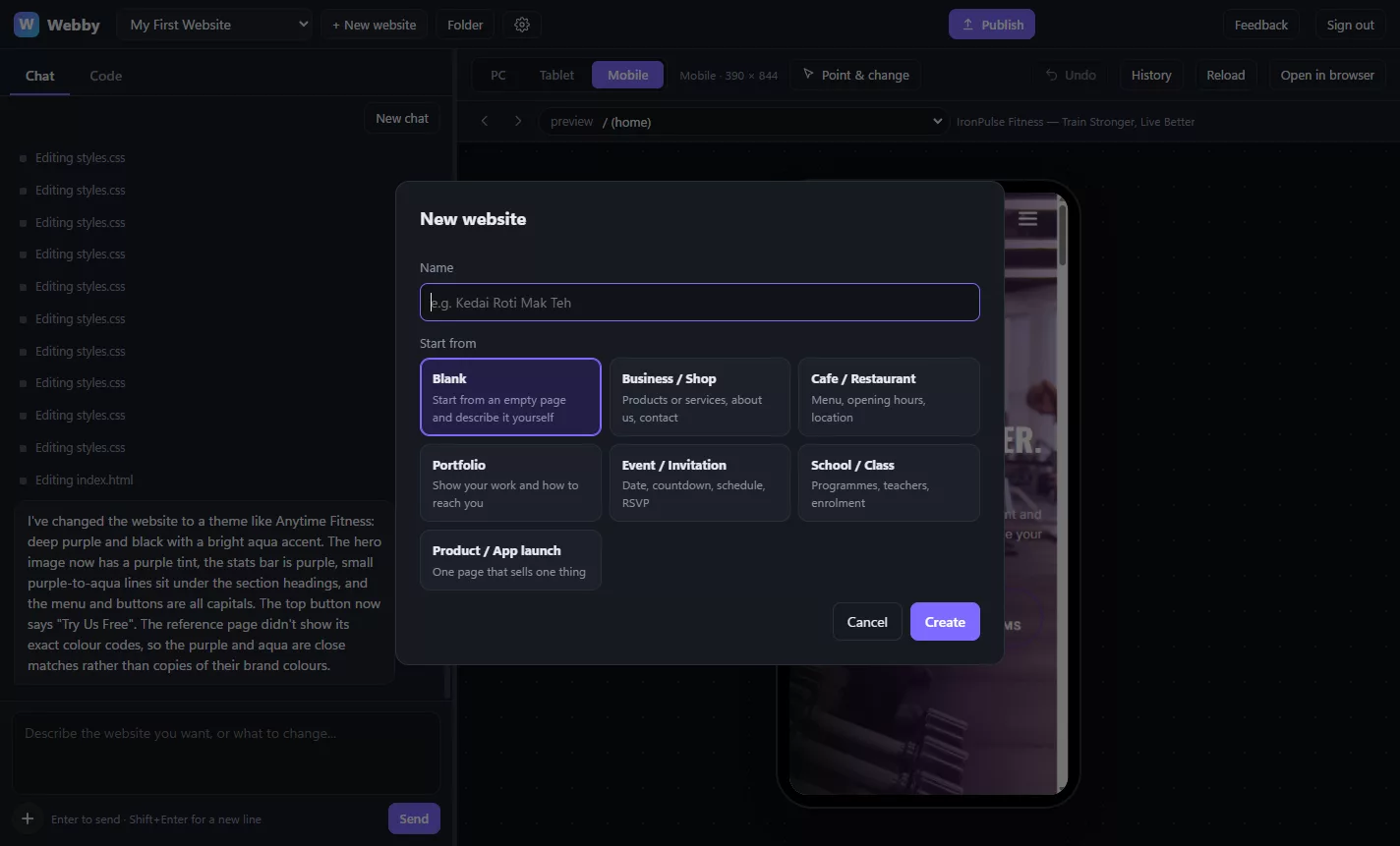
- Start from a template. Business, cafe, portfolio, event, school or product launch.
- Many websites. Keep as many as you like and switch between them.
- Your files, on your PC. Every website is a normal folder in Documents\Webby.
- The code is there if you want it. A Code tab lets you look and edit by hand.
- Updates itself. New versions download in the background.
Installing Webby
-
Download and open the installer
Press Download for Windows and open Webby Setup.exe.
-
If Windows shows "Windows protected your PC"
That blue box is normal for a new app that isn't from a big company yet. Click More info, then Run anyway.
-
Sign in with Claude
Open Webby and press Sign in with Claude. Webby installs what it needs by itself (a minute or two), then your browser opens so you can sign in. If the page shows a code, paste it into Webby.
-
Make your first website
Press New website, pick a starting point, and start chatting.
What you need
- A Windows 10 or 11 PC with internet.
- A paid Claude plan (Pro or Max). Webby uses your plan to build; a free Claude account can sign in, but the chat won't work.
- To publish: a free Cloudflare account. Webby walks you through it.
Questions
Does Webby cost anything?
Webby itself is free. It uses your own Claude plan to build, and a meter at the top shows how much of your plan you've used. Hosting on Cloudflare Pages is free too.
Do I own the website?
Yes. It's a normal folder of files on your PC, and it's published to your own Cloudflare account. You can move it anywhere.
Can I use my own domain, like mybakery.com?
Yes. After publishing, open "Use your own domain" in the Publish window and follow the steps.
Is there a Mac version?
Not yet. Webby is Windows only for now.
Something went wrong. How do I tell you?
Click Feedback at the top of Webby. It sends your message straight to us, with a picture of the Webby window and the error log if you leave them ticked.